How to import a quiz from Blooket:
Step 1: Go to https://blooket.com/discover (you may be required to sign in)
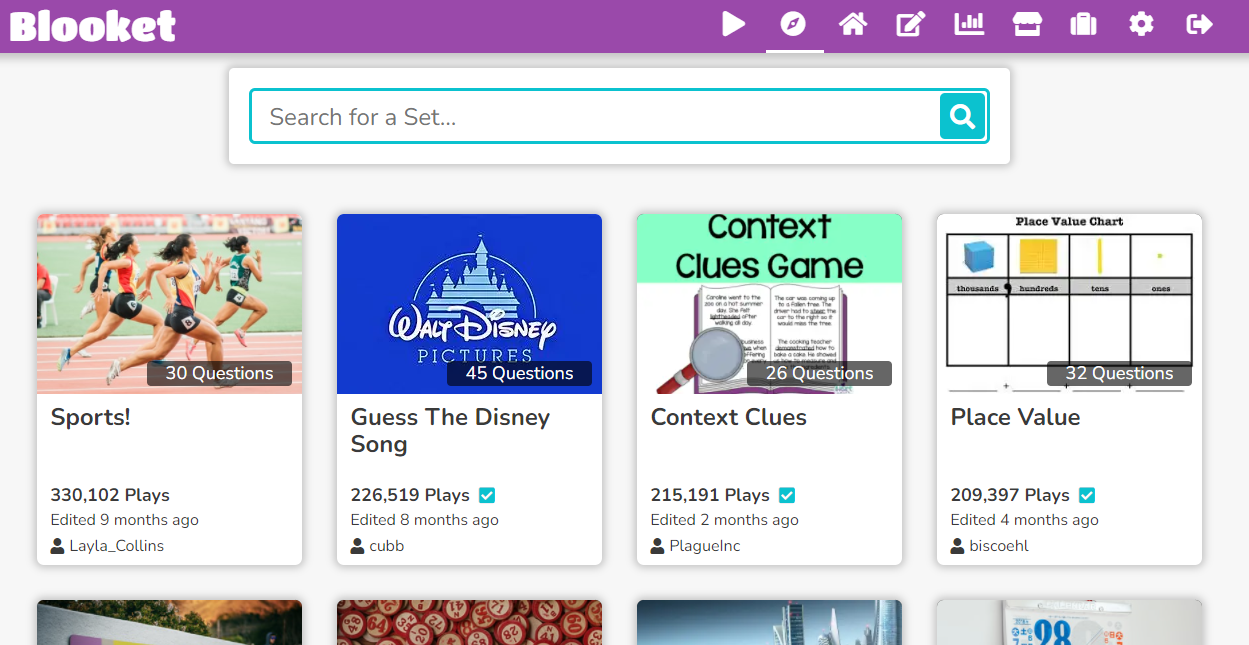
Step 2: Find the quiz that you want to play.
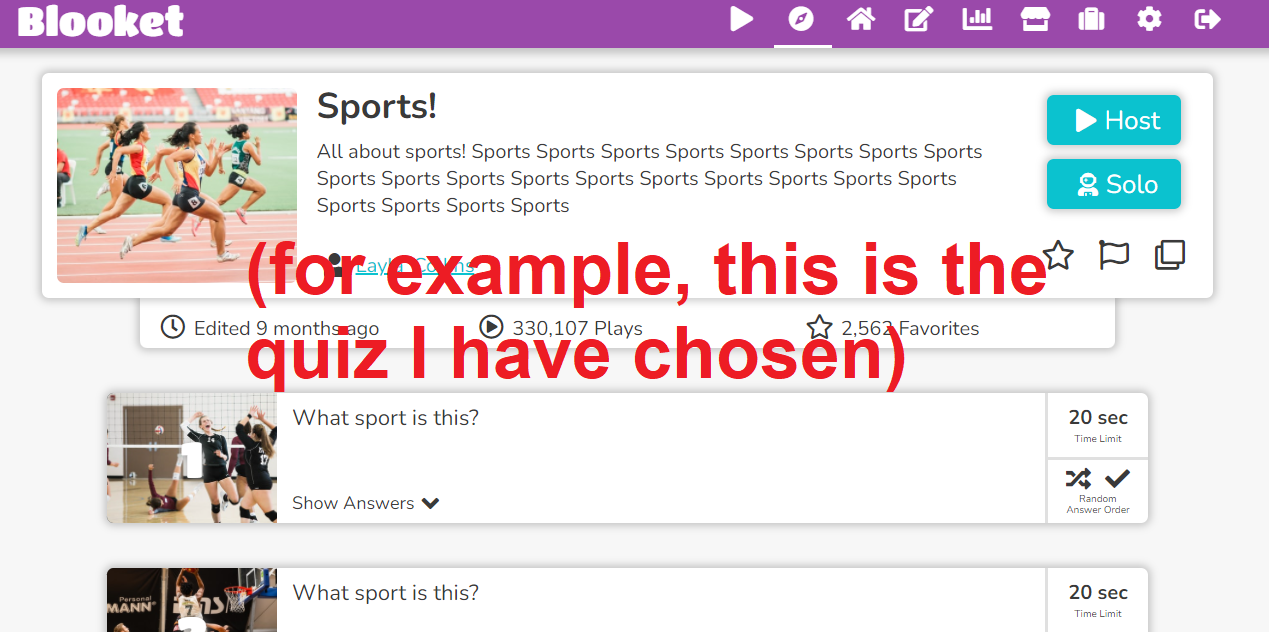
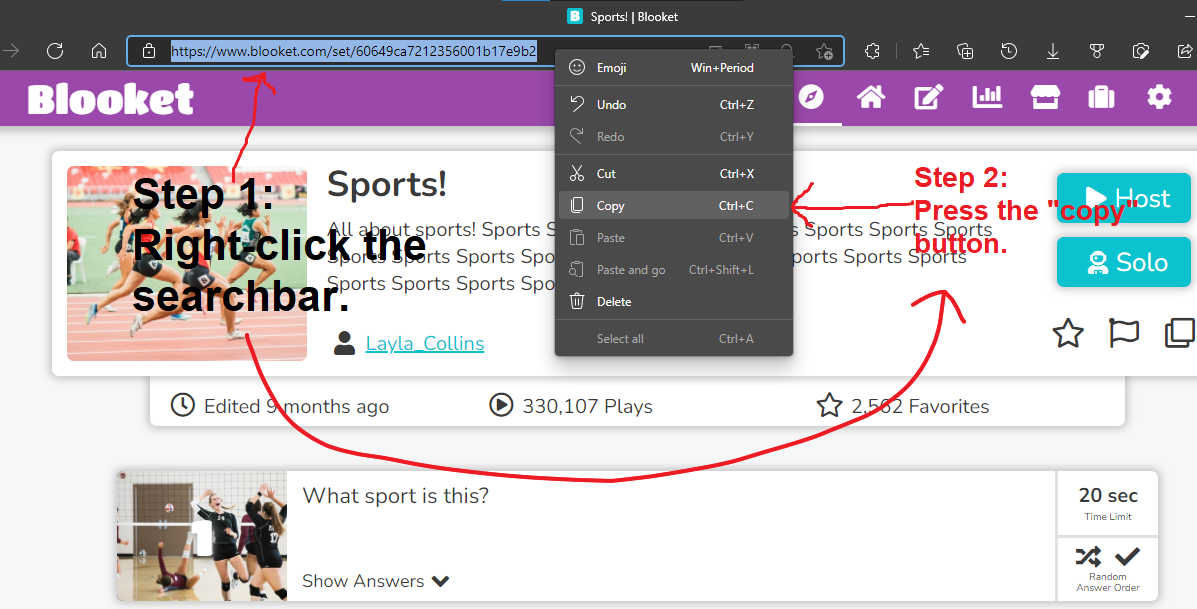
Step 3: Up in the search bar in your web browser, copy the link.
Step 4: Come back to the quiz builder and paste it in the textbox. Then, click the "Import from Blooket" button.
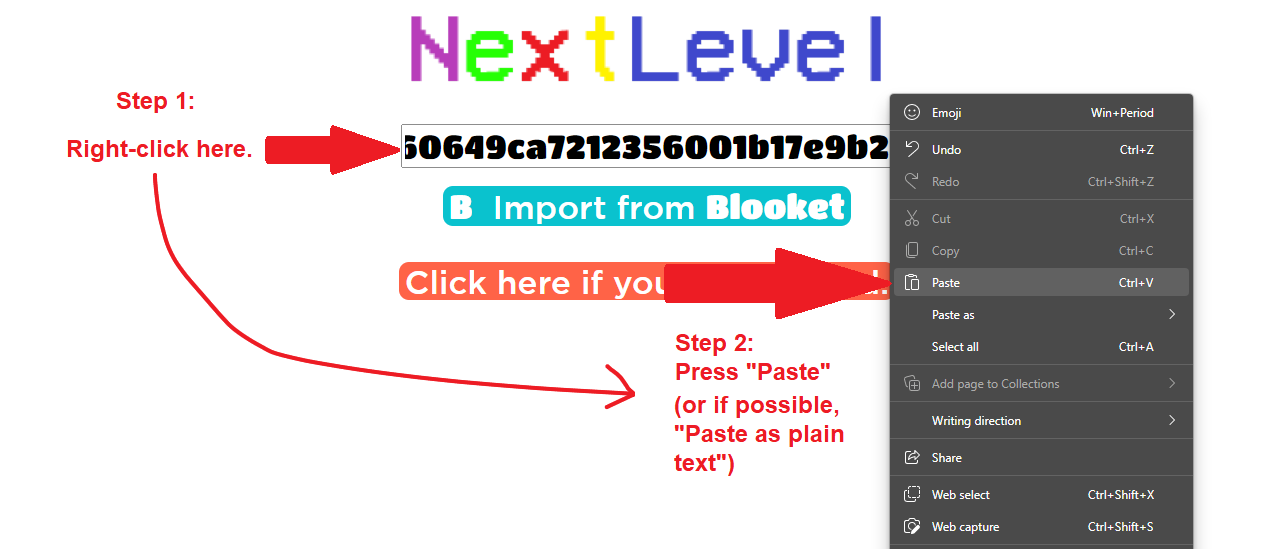
You will then be sent to a page that will look something like this:
